Resume Writing Lesson Using AI for High School Students
Anyone remember the movie How to Lose a Guy in 10 Days? Andie Anderson sets out to write a “how-to” article in reverse: a guide on what not to do.
That’s sort of how my new resume lesson came to be.
I’ll admit that resumes have never been my favorite thing to teach.
I’ve tried different mini activities over the years (some of which I’ve even purchased on TPT), but it’s hard to get excited about the topic. Resumes are dry and technical. Students aren’t exactly jazzed about them. And the whole process is writing-heavy, which is tough for a lot of my students.
So, at one point, I decided to outsource it.
The Resume Workshop That Inspired This Lesson
Our local employment office hosted a community resume workshop one evening, and I attended in hopes of picking up some tips from the experts.
Let me tell you, the struggle was real.
There were three presenters, and they clearly knew their stuff. They were workforce development professionals and resume experts.
But knowing resumes and teaching resumes are two very different skills.
With almost no introduction and zero direct instruction, they handed out a worksheet with boxes for education, work history, and skills. We were given five minutes to fill in the boxes.
Then everyone was told to move to the computer stations and to log into an online resume builder.
And just like that, we were supposed to start replacing the template text with the information from our worksheets… even though most people weren’t sure what belonged in each section in the first place.
For the next hour, I listened to my computer neighbors ask questions like:
“What if I’ve never had a paid job?” “Where do I put my diploma?” “I fed my uncle’s horses when he was out of town… what should I call that?”
There was a general sense of confusion and frustration.
The experience clarified something important for me as a teacher:
Before students can build a resume, they need to understand four basic things: what a resume is, why they need one, what the common sections are, and how to build one step by step.
And then I had another realization.
If I needed to update my resume right now, I wouldn’t start from scratch either.
I’d probably utilize AI.
The Reality: Students Are Already Using AI
Whether we like it or not, students are using AI.
They’re using it for school assignments, job searches, emails, and pretty much everything else. So, part of our job now is helping them learn how to use AI responsibly and effectively, not just in school, but in their future workplace.
Because here’s what I imagined happening after that resume workshop:
All 20 participants going home, opening Gemini, and typing something like:
“Write me a resume.”
And walking away with pages of generic AI writing full of phrases like “results-driven professional,” “passionate about making an impact,” and “demonstrated ability to…”
If you’ve spent much time reading AI writing, you know the style. It tends to be heavy on buzzwords and light on personality.
That realization became the starting point for this lesson.
Why Resume Skills (and AI Skills) Matter for Students
A few quick statistics help explain why resume writing and responsible AI use are becoming essential career readiness skills.
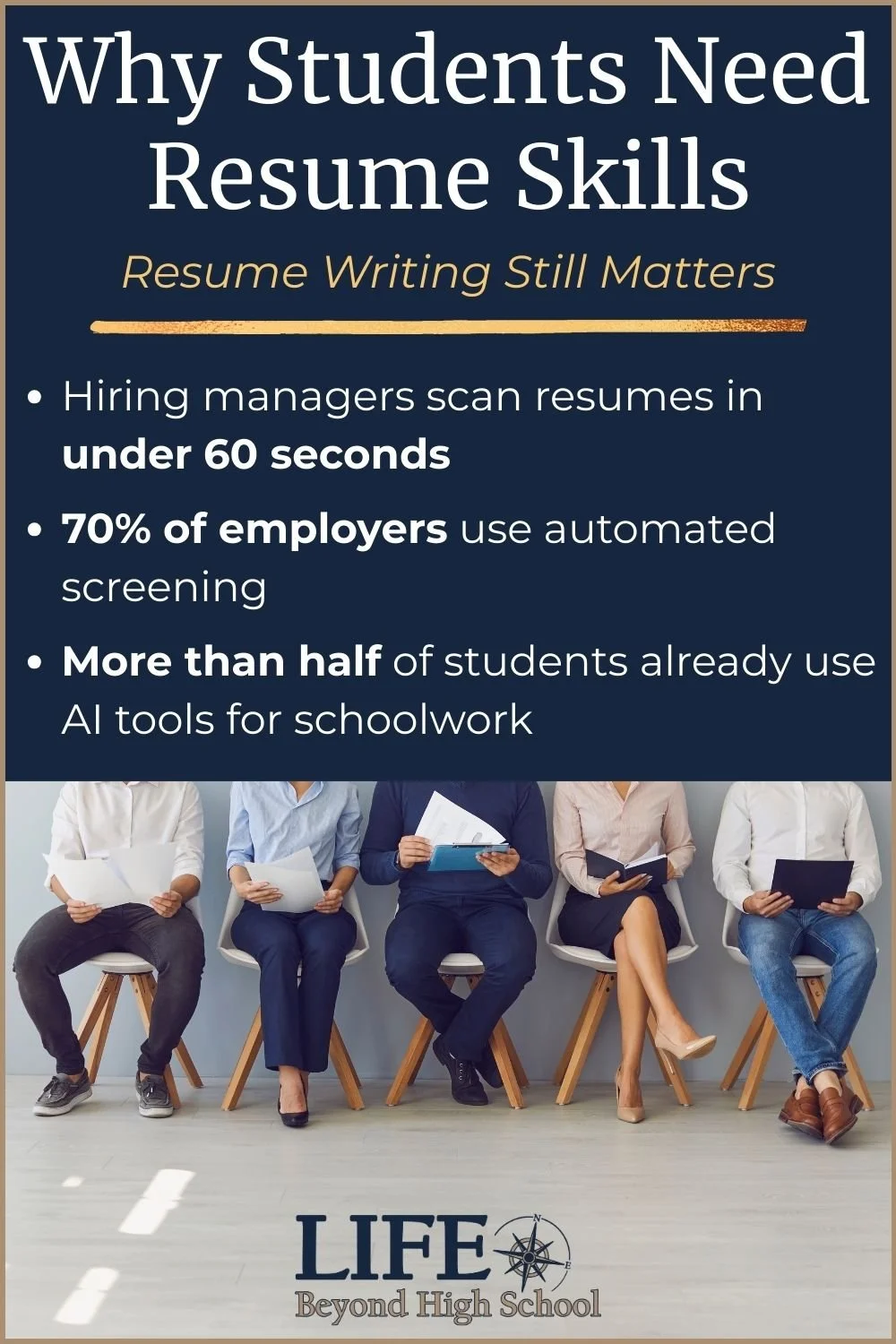
Hiring managers spend less than 60 seconds reviewing a resume before deciding whether to keep reading. At the same time, 70%+ of employers now use automated systems to screen resumes before a human ever sees them.
Meanwhile, students are embracing AI tools themselves. Research shows that over half of students have tried tools like ChatGPT for school assignments or job-related tasks.
Bottom line: Employers still use resumes, and the tools students use to create them are changing.
Though I’m a bit of a Luddite at heart and was initially skeptical, I’ve come to embrace teaching students how to use AI responsibly and thoughtfully as they prepare for the workforce.
How the AI Resume Lesson Works
If you teach a career readiness or job skills unit, you may share my feeling that resume lessons can be surprisingly difficult to teach in a way that keeps students engaged.
This lesson moves through several stages so students understand resumes before they involve AI.
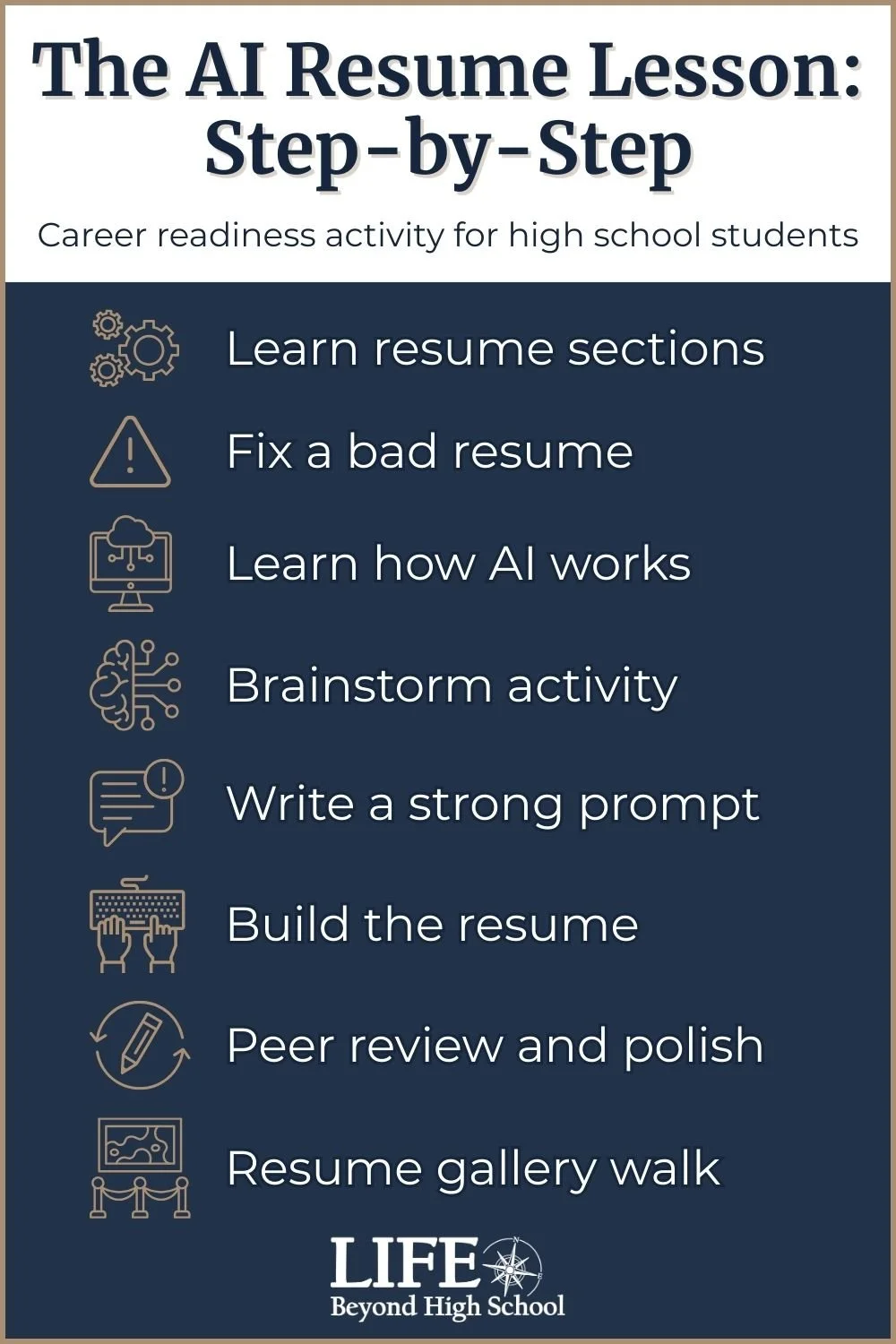
Step 1: Understanding the Parts of a Resume
First, we walk through the basic sections of a resume.
Students learn what belongs in each section, get practical tips for writing it, and review a clean example of a simple, professional resume. This gives them a clear framework before they try to write anything themselves.
Step 2: Resume 9-1-1 (Students Fix a Bad Resume)
This is the part students enjoy the most.
I give them a resume makeover challenge called Resume 9-1-1.
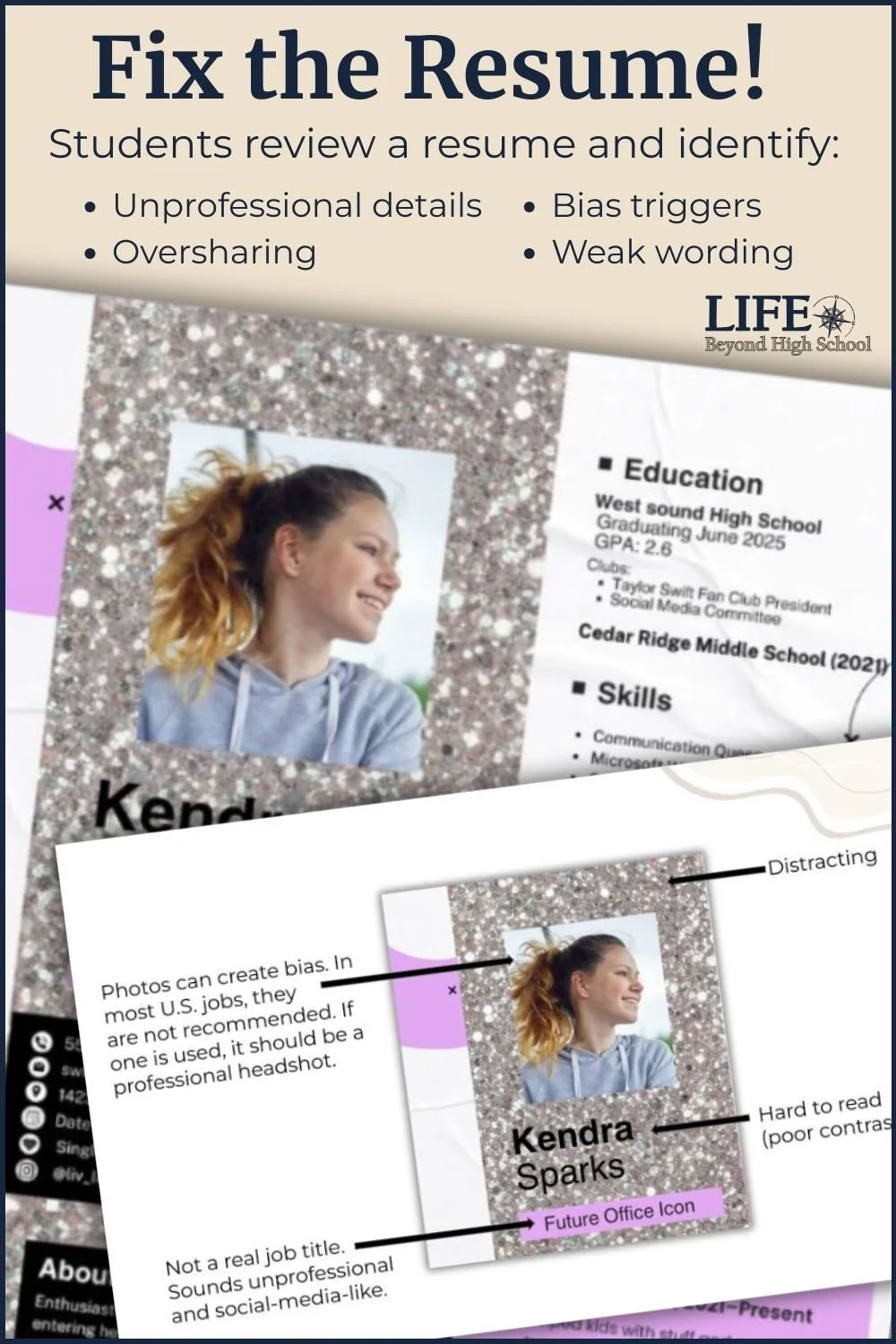
Students review a resume belonging to “Kendra.”
Kendra’s resume is… memorable.
It’s lavender and silver. It includes Taylor Swift references. It contains some oversharing and a handful of unprofessional details. (Although there are some good nuggets buried in there, too.)
Students get 5–10 minutes to mark up the resume and identify red flags. I tell them to imagine they are the employer reviewing it and to ask themselves what would give them pause.
Then we discuss the issues together.
We talk about things like information that can unintentionally trigger bias (photos or birthdates), details that are unnecessary or distracting, and how small changes can make a resume sound more professional.
This activity helps students view resumes from an employer’s perspective.
Step 3: Understanding What AI Can (and Can’t) Do
Next, we shift into a discussion about AI.
Most of my students think they understand AI, but they often overestimate its ability to think.
We talk about how AI actually works: generating language based on patterns in its training data. That means it can be a powerful tool, but it can also hallucinate incorrect information or produce generic content that doesn’t reflect a student’s voice.
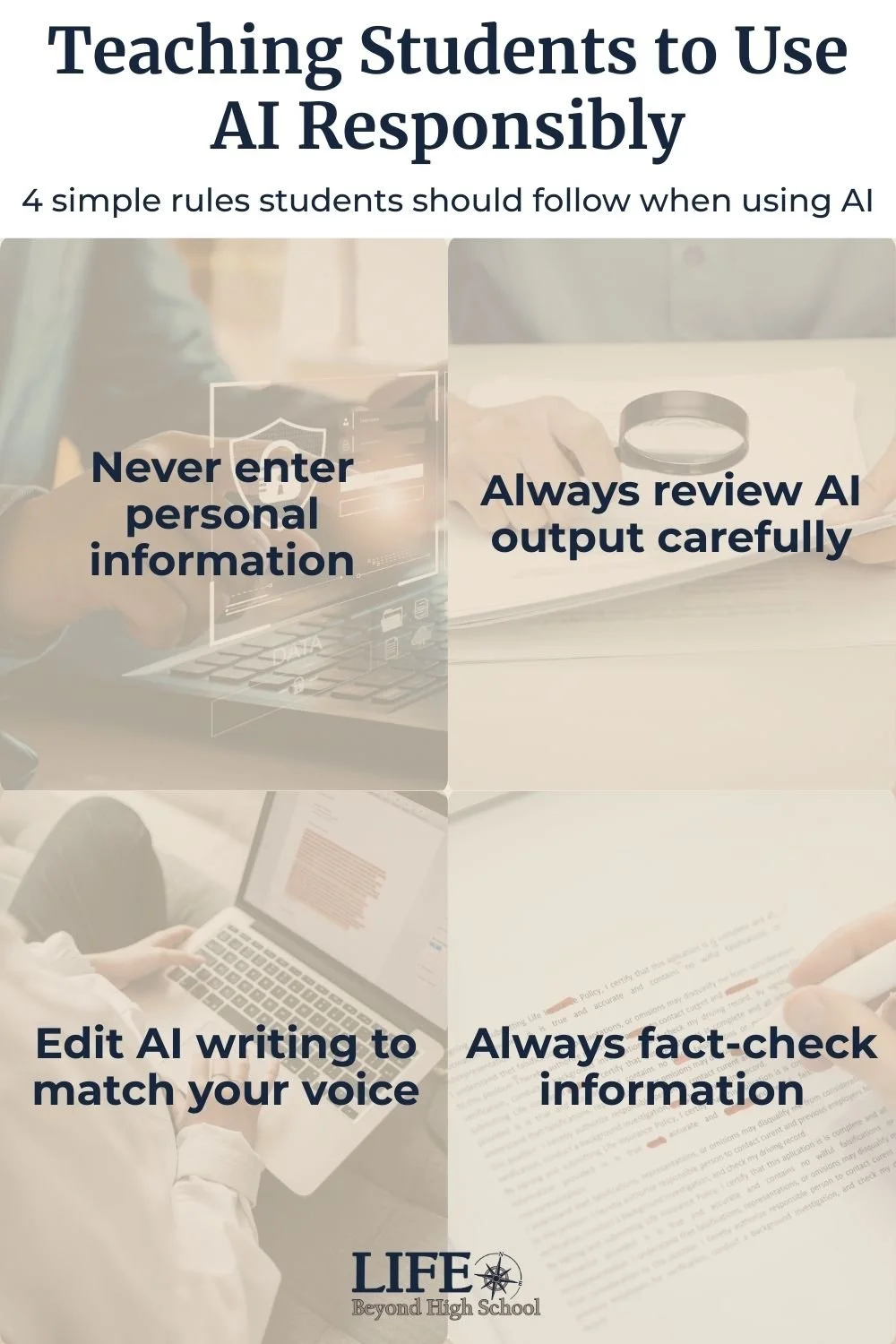
We also talk about responsible use. Students should never enter personal or sensitive information into AI tools, and they should never blindly accept whatever the chatbot produces. Everything needs to be reviewed, edited, and checked for accuracy.
And, of course, we talk about the classic rule: garbage in, garbage out. What you get from AI depends on what you give it.
Step 4: The Brain Dump Activity
If you’ve read my post “Return of the Worksheet: Why Students Are Craving Hard Copies,” you know I’m a big fan of classic pen-and-paper activities.
But this lesson turned out to be an exception.
After attending that resume workshop, I realized I didn’t want students writing out their ideas by hand and then retyping everything into an AI tool. That felt tedious.
Instead, students work in a guided document.
It asks a series of prompts about their education, experiences, responsibilities, skills, and activities. Students spend about 10–15 minutes doing a brain dump, without worrying about spelling or formatting. The goal is simply to capture as many details as possible.
This becomes the raw material for AI.
Step 5: Writing a Strong AI Prompt
Before students use AI, we talk about how to write a good prompt.
The goal is to keep the AI tool focused and realistic. The lesson includes a prompt template that students complete and quickly check with a partner.
Then they combine their brainstorm text with the prompt and paste everything into the AI tool of their choice, usually ChatGPT, Claude, or Gemini.
And just like that… out comes a resume!
Some students go back and forth with the AI tool to refine the result, but most are happy with the first or second draft.
Step 6: Turning the Draft into a Real Resume
They have a lot of freedom here. Some students use Google Docs or Word templates, some use our Canva for Education account, and others find free templates online.
They copy their content section by section from AI and paste it into the template, and begin editing.
One rule I emphasize is: if you can’t pronounce a word on your resume, it has to go.
AI often produces vocabulary that’s more advanced than what my students naturally use, so this is where they personalize and simplify.
A second rule: Can you back it up with an example?
AI can be generous and take a little creative license when drafting a resume. I challenge students to make sure everything on their resume is factual and something they can explain in an interview. If the resume says they have demonstrated leadership skills, can they point to something specific, like being captain of the volleyball team or training new employees at their summer ice cream stand job?
Some of the more advanced AI tools can generate a ready-to-use resume automatically. However, I intentionally include this step of transferring the content into a template. I’ve found that it forces students to read each section closely and take ownership of what their resume actually says.
Step 7: Polishing the Resume
Next, students spend some time polishing their resumes.
They review their resumes independently first, looking for anything that sounds unnatural, unclear, or overly complicated. Then they swap with a partner for a second set of eyes.
Because the resumes start from a strong AI draft, frustration levels are much lower than what I saw at that original employment office workshop. Students aren’t starting from scratch. They’re fine-tuning something that already looks professional.
And because everyone chooses their own templates, there is a lot of variety, and students’ personalities really come through.
Step 8: Resume Gallery Walk
The first time I taught this lesson, I was so impressed by the final products that I busted out an old trick from my teacher training days: a gallery walk.
Students redact their personal information (name, phone number, and email), print their resumes, and post them around the room.
Then we do a gallery-style activity where students slowly circulate around the room, stopping to read different resumes and leave sticky note feedback for the author. The feedback usually includes compliments, questions, and suggestions, and it’s often surprisingly thoughtful.
I also like to invite a few guests to stop by. Sometimes that includes assistant principals or other teachers, but I always try to invite the school counselor as well. It helps the counseling office know that students already have resumes they can build on for scholarships, internships, or job applications.
Having a few outside adults in the room also gives the activity a little more gravitas. When students see other people taking their work seriously, it validates the effort they put into creating something professional.
The Final Step: A Professional Email
To wrap up the lesson, students save their resumes as PDFs and email them to me as attachments with a professional email.
They need a clear subject line, a short introduction, and proper formatting. The whole nine yards.
This step always leads to teachable moments. As tech-savvy as my students are, many of them have surprisingly little experience writing professional emails.
Common Questions Teachers Have About Using AI for Resume Writing
When I talk about using AI in the classroom, a few concerns usually come up.
Won’t students just let AI do all the work?
That’s a fair question (and a concern I share).
In this lesson, students start with a detailed brainstorm about their own experiences before they ever open an AI tool. The AI is simply helping them organize and polish their ideas. Because the content starts with the student, the final resume still reflects their real experiences.
What if my students don’t have work experience yet?
This comes up every time.
Students quickly realize that resumes aren’t just about paid jobs. They can include volunteering, extracurricular activities, internships, school programs, or even helping with family responsibilities.
Even feeding a neighbor’s animals while they were out of town can become a responsibility that demonstrates reliability.
Is it okay to use AI for something like a resume?
In the real world, many adults already do.
Back in 2024, Adobe reported that 28% of job seekers were using AI to draft resumes and 64% of hiring managers approved of the practice. Those numbers have only grown since then.
The key skill students need is learning how to use AI thoughtfully and responsibly. That includes protecting personal information, reviewing AI output carefully, and making sure the final product still reflects their own voice.
Testing the Lesson with Other Teachers
When I finished the lesson, it worked beautifully with my students.
But when it came time to publish it on TPT, I hesitated. This lesson was different from most of my resources. Would the brainstorm document approach work in other classrooms? Would the copying and pasting into AI get chaotic?
So I decided to test it.
I recently offered the lesson for free to the first 20 people on my email list who wanted to try it. The response was immediate. I sent out 20 copies, and now the lesson is being tested in classrooms across the country.
My plan is to collect feedback from these early adopters, revise the lesson if needed, and share what I learn.
Stay tuned for Part 2!
In the meantime, if you'd like to see how the lesson works, you can check out the preview or explore the full resource here:
AI Resume Lesson for High School – Resume Writing & Responsible AI Activities
And, if you want to build a foundation for the resume lesson, I usually start with job searching or job applications!